
- Synopsis: This document will help the user to setup promotion.
- Interfaces involved: ISH
- Description/Procedure:
- Go to B2B Sales Channel
- Go to Marketing Menu à Promotion
- Click on New – and select one of the following options
- Free shipping on order value
- Fix discount on order value
- Customized Promotion
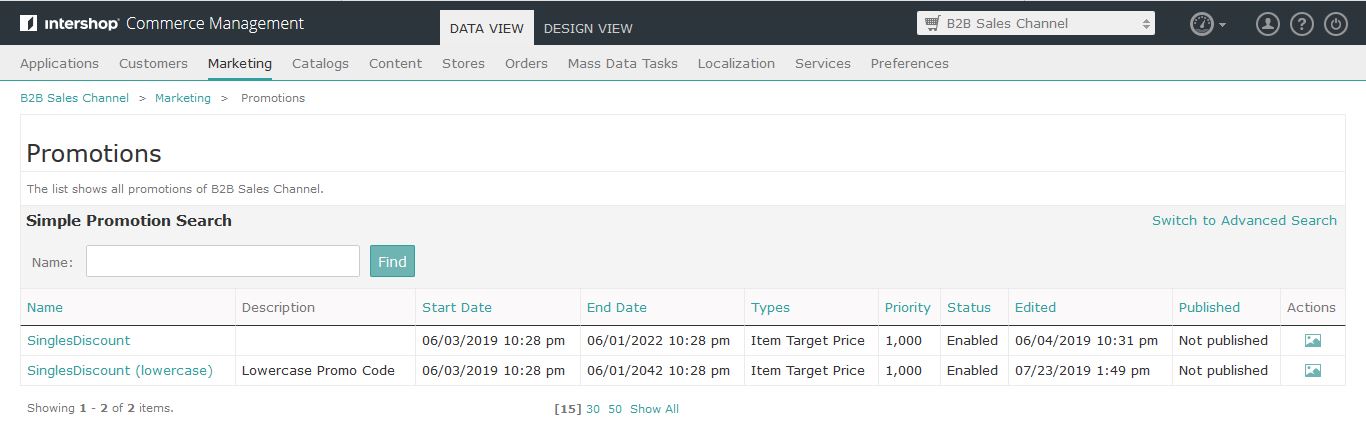
General Tab:
- Please don’t change ID as it is auto-generated
- Please see attached image jpg
Target Group Tab:
- You can select the target group of customer segment
- You can select no of customers for whom you would like to apply for the promotion.
- Please see attached image jpg
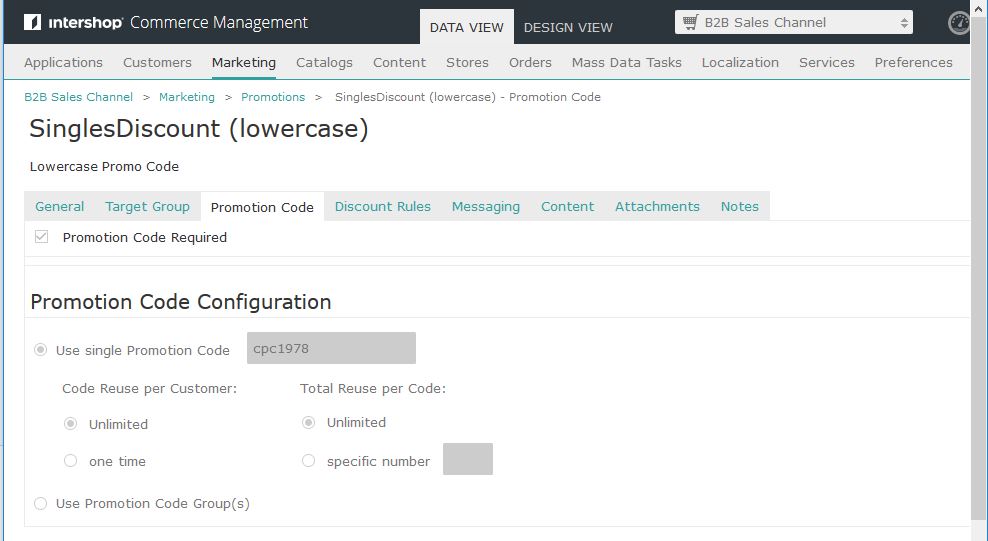
Promotional Code Tab:
- You can set Promotion code over here.
- It can be hard coded single promo code or use a promo code group
- You can configure how many time customer can apply that promo code
- You can configure that if particular promo code can be used how many times - unlimited, limited, one or specific numbers.
- Please see attached image jpg
Discount Rules:
- You can put some cap over here.
- You can set conditions based on Activation Time, Customer Profile, Item or Order. You can select conditions from the dropdown.
- You can specify the items on which promo should be applied.
- You can put many more rules on how you would like to apply the promo code.
- You can put a specific message for users as well from here.
- Please see attached image jpg
Messaging Tab:
- You can add some messages and popups to specific pages from here.
If you would like to exclude products and categories from promotion, you can set it by using the following steps:
- Go to B2B Sales Channel > Applications
- Click on Application Name
- Click on Promotions Tab:
- Based on condition Product Exclusion (Basket level – Selected product excluded from promotion) or Category Exclusion (Basket level – Selected product excluded from category) can apply.
- Budget notification setup, legal messages, and other redemption settings can be done which will apply at Basket level.
- Please see attached image jpg
- Acceptance criteria/Expected output:
Appropriate users should use those promotions while placing orders.
- Resolution failure steps: NA
- POC: ISH
Comments
0 comments
Please sign in to leave a comment.